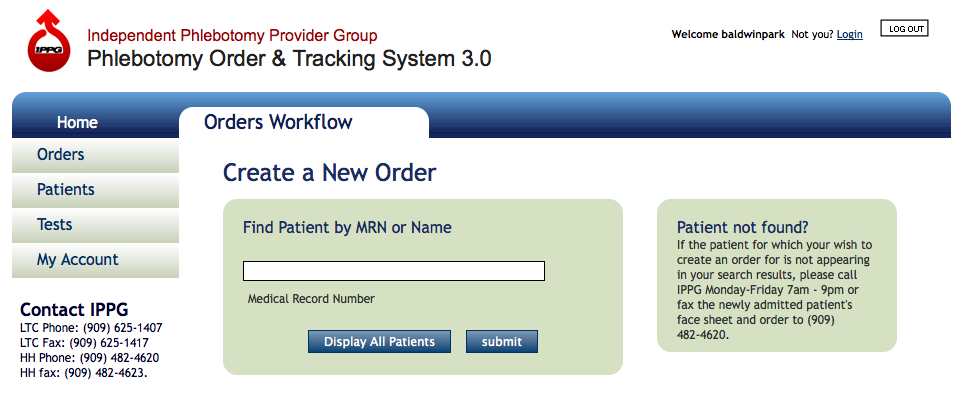
Creating a new order
Find Patient by Medical Record Number
- To create an order you must first find a patient. From the Home Screen type the Medical Record Number (MRN) of the patient for whom the order is for in the Patient MRN form field, then click the Submit button.
- Alternatively, Facility Users may click the “Display All Patients” button which will return all patient who are presently located at their facility.
- View the patient search results for the MRN entered.
- If search results return the patient for the MRN queried, then click the New Order link. If uncertain whether this is the correct patient click the View Patient link. Alternatively click Order History to view recent orders for that patient.
If you have found the correct patient click the New Order link from the search results screen.
You are now in the Create New Order work flow.
NEXT STEP >>