To create a new patient open the Patient Menu in the sidebar, then choose New Patient.
Entering Patient Data
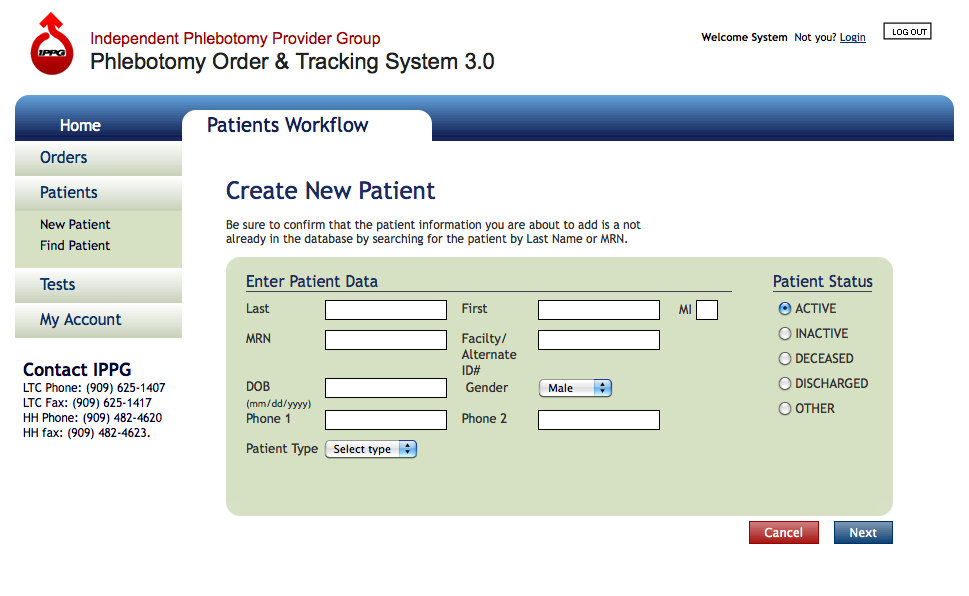
Create New Patient Screen - click screen to zoom in
Then enter the required data for the patient:
- Last Name
- First Name
- Middle Initial (MI) – optional
- Medical Record Number (MRN)
- Facility / Alternate ID# – optional
- Date of Birth (DOB)
- Gender
- Phone 1 (primary contact number) – Required for home-bound patients, Optional for Facility patients
- Phone 2 (secondary contact number) – Optional
- Choose Patient Status from list of choices
Then click the Next Button to proceed to Step 2 of the Create New Patient process.
NEXT STEP >>